


Simplified Photo & Video Organization: A Clean, High-Efficiency Folder Structure
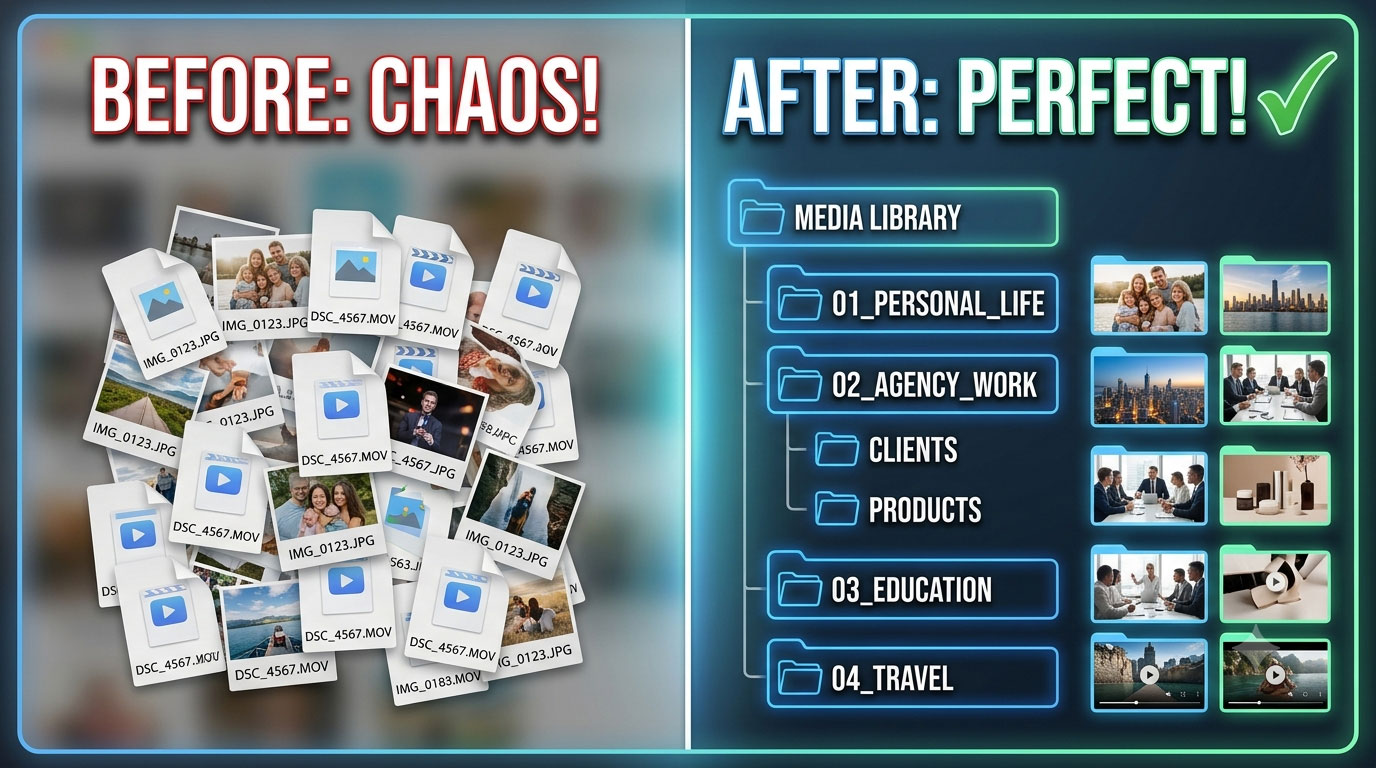
Managing a massive library of photos and videos can quickly turn into a chaotic mess if you do not have a strict, logical directory structure. Whether you are handling personal memories, client marketing assets, e-commerce product imagery, or educational materials, a context-based hierarchy keeps everything easily searchable.
This streamlined system organizes media by clear, high-level domains and granular subcategories using obvious, intuitive naming conventions.
The Master Directory Blueprint
At the root level, maintain a single, dedicated entry point for all media assets. From there, branch out into clean subdirectories based on specific areas of your life and work.
Root Folder: Media Library
1. 01_Personal_Life
Dedicated to your private life, social circles, and everyday documentation.
Self: Personal portraits, milestone photos, and individual logs.Family: Immediate family gatherings, daily life, and household archives.Relatives: Extended family reunions and visits from distant relatives.Friends: Social events, dinners, outings, and friendly gatherings.Objects: Casual photos of items, possessions, or interesting things you encounter.
2. 02_Agency_and_ECommerce
Organized explicitly for digital agency operations, marketplace management, and commercial production assets.
Marketing_and_Ads: Ad banners, promotional graphics, and campaign creative assets.Client_Meetings: Screen captures, consultation recordings, and briefing assets.Marketplace_Products: High-resolution catalog imagery and video showcases separated by platform:WildberriesOzon
3. 03_Education_and_Teaching
Structured to house school-specific media, lesson materials, and academic events.
School_Classes: Visual aids, student group photos, and active classroom session logs.School_Events: Ceremonies, presentations, holiday programs, and official school functions.
4. 04_Geography_and_Travel
Separates local everyday locations from major trips to make looking back at specific journeys effortless.
Local_Visits: Cities, parks, and regional spots nearby.Travel_Trips: Distinct vacation folders organized by destination and year.
5. 05_Storage_and_Unsorted
A safety net for miscellaneous or temporary storage.
Random_Captures: Quick snaps, temporary files, or memes that do not fit a specific category.Side_Projects: One-off personal experiments or test files.
Summary & Conclusion
Summary Checklist Matrix
| Top-Level Directory | Focus Area | Best For |
|---|---|---|
01_Personal_Life | Relationships & Self | Family archives, friends, personal milestones |
02_Agency_and_ECommerce | Agency & Commercial Work | E-commerce product photos, ad banners, client consultations |
03_Education_and_Teaching | Academic & Teaching | Classroom sessions, school functions, student events |
04_Geography_and_Travel | Locations | Local exploration and structured travel logs |
05_Storage_and_Unsorted | Miscellaneous | Temporary file collection and side-project assets |
Conclusion
The secret to maintaining a clean media drive is eliminating ambiguity. By sorting folders by context first (Personal, Agency, Education) rather than just relying on flat, chronological date dumps, you ensure that you can locate any specific file within three clicks. Use prefixes like 01_, 02_ to force your file manager to keep your most important directories pinned to the top of the root tree permanently.